Vendor onboarding automation for procurement and finance teams
By The AI Ledger editorial team | Published 2026-08-13 | Updated 2026-11-20
Vendor onboarding automation centralises intake, validates tax and banking data, enforces compliance checks, and pushes a verified vendor record directly into your ERP or AP system. If you take one action this week, run a one-week intake audit: time your current average cycle from first contact to activated vendor, and note the three documents most often missing at the point of payment. That shows you where automation is likely to save the most time.
- Automation replaces scattered email threads with a single, auditable digital workflow covering intake, tax verification, insurance, banking and compliance screening.
- A clean vendor record, synced to your accounting system before the first purchase order, prevents duplicate vendor records and downstream invoice exceptions.
- The repeatable onboarding sequence runs: intake, tax classification, certificate of insurance (COI) check, bank verification, security review, signed agreement, then activation.
- Automation gives procurement and finance more time for risk reviews and less time chasing PDFs.
Stop accepting bank details by email. Move to an encrypted portal with a second verification step, such as an independent callback to a number you already hold or a Confirmation of Payee check, before any bank record is written to your ERP.
Key takeaways
Vendor onboarding automation works best when you tier vendors by risk, enforce stage gates in the system rather than in a policy document, and sync verified records to your ERP before the first purchase order is raised.
| Point | Details |
|---|---|
| Run an intake audit first | Measure current cycle time and the three most common missing documents before configuring any platform. |
| Tier vendors by risk and spend | Route low-risk commodity vendors through a lightweight flow; reserve full due diligence for high-risk or high-spend suppliers. |
| Enforce stage gates technically | Configure the platform so no vendor record is created until tax and insurance checks are verified, not just documented in policy. |
| Pilot banking details via a secure portal | Stop accepting bank details by email; use an encrypted portal with callback or Confirmation of Payee verification before writing to ERP. |
| Schedule a 30-day post-activation review | Check GL coding, payment terms and pricing around the first payment run to catch errors before they build up. |
| Shortlist with the directory | The AI Ledger directory lists 300+ tools with editor scores and last verified dates. |
Table of Contents
- Why automate vendor onboarding?
- Core automation capabilities your vendor onboarding workflow must include
- UK compliance checkpoints to embed in every automated vendor setup
- Designing the onboarding workflow: swimlanes, stage gates and parallel approvals
- Integrations and the vendor master: how to avoid duplicate records
- How to choose vendor onboarding software: a prioritised evaluation checklist
- Implementation roadmap: a pilot plan you can reuse
- KPIs to track and a simple way to prove ROI
- Common pitfalls when automating onboarding and how to avoid them
- Where to research and shortlist tools for UK procurement and finance teams
- Shortlisting onboarding tools on The AI Ledger
- Sources
Why automate vendor onboarding?
The business case becomes clear once you look at where the time goes. Email-based onboarding creates queues at every handoff: a missing VAT number holds up finance, an expired COI holds up legal, and a mis-keyed sort code holds up AP. Each hold costs time and, when a supplier is waiting to be activated before they can deliver, it costs operational continuity too.
A portal replaces those email handoffs with one workflow and leaves a much better audit trail. The gains show up in four areas:
- Faster activation: vendors complete self-service forms in one sitting rather than answering a series of email requests.
- Fewer payment holds: real-time validation catches missing or incorrect data at intake, not at the point of payment run.
- Fewer duplicate vendor records: deduplication at intake stops the same supplier appearing under three name variants in your vendor master.
- Stronger audit evidence: tamper-evident logs and timestamped document storage give auditors and regulators a complete record.
Vendors usually split into three tiers. High-volume, low-risk commodity vendors, such as office supplies or courier services, benefit from a lightweight, mostly automated flow. Mid-tier consultants with recurring spend need a richer workflow that captures IR35 status, a signed contract and payment terms. High-risk data processors require a full security review, a Data Processing Agreement (DPA), and beneficial ownership checks before activation. A well-configured supplier onboarding platform handles all three tiers from a single interface, routing each vendor to the right workflow automatically based on spend threshold or risk classification.
Core automation capabilities your vendor onboarding workflow must include
Platforms differ in depth. When you evaluate supplier onboarding software, these are the capabilities that count for compliance and operational control:
- Self-service intake forms with required-field validation and real-time deduplication checks at the point of submission, so a vendor cannot complete registration without supplying a valid VAT number or Companies House reference.
- Document collection and expiry tracking for COIs, licences, DPAs and any sector-specific certificates, with automated reminders sent to the vendor before expiry rather than after a payment hold.
- Real-time tax ID and bank account validation, including sort code and account number checks and Confirmation of Payee name matching, plus sanctions and AML screening and beneficial ownership checks at intake.
- Configurable workflow routing by spend band, risk tier or supplier type, with parallel approval paths so Finance and Legal can review simultaneously rather than sequentially.
- Audit trail and tamper-evident logs with secure document storage, giving auditors a complete, time-stamped record of every action, approval and change.
Ask shortlisted platforms to show their deduplication logic in a live demo using your own test data. Generic demos rarely include the awkward cases, such as a supplier registered under a trading name that differs from its legal entity name.
Purpose-built onboarding portals go further by offering single-link invites, self-service document uploads and a live status dashboard so internal teams can see exactly where each vendor sits in the workflow without chasing by email.
!Hands uploading documents on tablet

UK compliance checkpoints to embed in every automated vendor setup
UK procurement and finance teams carry specific regulatory obligations that a generic onboarding template will not cover by default. Build these checks into your workflow as mandatory stage gates, not optional fields.
Tax classification and verification
Confirm VAT registration status with HMRC's check a UK VAT number service for any supplier charging VAT. For sole traders and partnerships, capture the Unique Taxpayer Reference (UTR) where you need it, for example for Construction Industry Scheme verification. For limited companies, check the registration number and registered name on Companies House. Many tools run these checks automatically and flag mismatches before the record is written.
Certificate of insurance verification
At a minimum, confirm the COI covers public liability, employers' liability (where the supplier has staff working on your premises) and professional indemnity where relevant. Check the policy period, the insured entity name, and the limit of indemnity. Automated expiry tracking can then send reminders, for example at 60 and 30 days before renewal, so nobody has to chase from a calendar.
!Hands verifying insurance certificate

Sanctions, AML and beneficial ownership screening
Screening tools should check the UK sanctions list, the EU consolidated list and, where your supply chain has US exposure, OFAC and SAM.gov. For firms covered by the Money Laundering Regulations, AML checks and beneficial ownership verification are required; for others, they are a risk-based decision. Build automatic escalation into your workflow so that any screening hit routes immediately to your compliance officer rather than sitting in a queue.
Data protection and GDPR-compliant data handling
Collecting bank details, personal identification and beneficial ownership information means you are processing personal data under UK GDPR. Your onboarding portal must store this data in UK or EEA data centres (or document an adequacy decision for any third-country transfer), apply role-based access controls, and provide a clear retention and deletion schedule. Capture a DPA from any supplier who will process personal data on your behalf before activation.
Designing the onboarding workflow: swimlanes, stage gates and parallel approvals
A well-designed workflow prevents tasks falling between teams and stops premature payments. The swimlane approach assigns clear ownership at every stage and enforces exit criteria before the next gate opens.
Step 1: Map your swimlanes. Define the role each function plays:
- _Procurement_ owns intake, risk classification and contract execution.
- _Finance_ owns tax verification, bank validation and payment-term setup.
- _Legal_ owns contract review, DPA execution and any sector-specific compliance sign-off.
- _IT/Security_ owns data processor assessments and system access provisioning for high-risk vendors.
Step 2: Define stage gates with clear exit criteria.
- Intake complete: all required fields submitted, deduplication check passed.
- Risk review passed: risk tier assigned, screening results documented.
- Contract executed: signed agreement and DPA (where required) uploaded.
- Payment ready: bank details verified, payment terms confirmed in ERP.
Step 3: Enable parallel approvals. Finance and Legal reviews should run at the same time wherever possible, because sequential approvals add waiting time. Configure your platform to notify both teams at the same gate and to escalate automatically if either review is not completed within the SLA.
Step 4: Set SLA targets per gate. Measure cycle time by gate as well as in total. Set your own targets from the baseline you took in the intake audit, for example a number of business days from intake to risk review, from risk review to contract, and from contract to payment-ready. Per-gate measures show which function is the bottleneck, which a total hides.
!Hands organising swimlane workflow board

Make "no vendor record until tax and insurance are verified" a rule the system enforces. A rule that lives only in a policy document tends to be skipped under time pressure.
Integrations and the vendor master: how to avoid duplicate records
The onboarding platform is only as useful as the data it pushes downstream. If approved vendor records do not flow cleanly into your ERP or AP system, teams will rekey data and duplicates will come back.
When evaluating vendor management software (our guide to accounting software integration) covers the patterns), check for prebuilt, two-way connectors to the platforms your finance team actually uses:
- NetSuite and Sage Intacct for mid-market and multi-entity environments.
- Xero and QuickBooks for smaller finance teams or subsidiary entities.
- Microsoft Dynamics Business Central for organisations already in the Microsoft ecosystem.
Two-way sync means the onboarding platform writes the approved vendor record to the ERP and can receive status updates back, such as a payment hold or a vendor deactivation, without manual intervention.
Deduplication strategies. Set matching rules that check legal entity name, VAT number and bank account number simultaneously. A name-only match will miss the same supplier registered as "Acme Ltd" and "Acme Limited". Force a human review whenever two or more fields match but the third differs. Always storing the legal entity name from Companies House rather than a trading name reduces missed matches.
Integration test checklist before go-live:
- Run a staging sync with 20 test vendor records and verify every mapped field lands correctly in the ERP.
- Confirm field mapping for payment terms, GL code, currency and tax treatment.
- Test rollback: can you deactivate a vendor in the onboarding platform and have the ERP reflect that within one business cycle?
Assign a named data owner for the vendor master, document the fields that are mandatory for every record, and schedule a quarterly deduplication audit. Without a named owner, the master drifts.
How to choose vendor onboarding software: a prioritised evaluation checklist
Start with must-haves. A polished interface does not make up for weak integration or compliance checks.
Must-haves:
- Native or API-based connectors to your ERP and AP system, with documented field mapping.
- Real-time VAT, bank and sanctions validation, not batch-overnight checks.
- Configurable workflow routing with parallel approval support.
- Tamper-evident audit trail with exportable logs.
- UK or EEA data residency, or a documented adequacy decision.
Nice-to-haves:
- AI-assisted document extraction for COIs and contracts.
- Vendor-facing status portal so suppliers can track their own progress.
- Pre-built risk-scoring templates by industry or spend band.
Questions to ask in demos and RFPs:
- What is the latency between a vendor completing intake and the record appearing in our ERP?
- Which validation APIs do you use for UK VAT and bank account verification?
- Where is our data stored, and what is your data residency certification?
- What is your SLA for document extraction accuracy, and how do you handle extraction failures?
- Can we configure different workflows for different vendor tiers without professional services?
Pricing models. Per-onboarding pricing suits low-volume, high-complexity environments. Per-seat pricing suits teams with stable headcount and variable vendor volumes. Per-connector pricing can escalate quickly if you have multiple ERP instances. Enterprise licensing gives cost certainty but requires accurate volume forecasting. Always model your expected annual vendor volume before accepting a per-onboarding quote.
Run your pilot against this checklist, not against the vendor's own benchmark.
Independent reviews show configuration and usability issues that vendor marketing leaves out. Our directory gives each listing an editor score, a verdict and a last verified date, and compare puts two tools side by side. Use them alongside demos.
Implementation roadmap: a pilot plan you can reuse
A phased rollout reduces risk and proves value before you commit to full deployment.
- Discovery (weeks 1 to 2). Document your current process: average cycle time, missing document types, duplicate vendor rate, and the three most common reasons for payment holds. This baseline is your ROI benchmark.
- Configuration (weeks 3 to 4). Map your workflow tiers, configure intake forms, set validation rules, and complete the integration test checklist from the previous section.
- Pilot (weeks 5 to 8). Run a defined cohort of 15 to 25 new vendors through the platform. Choose a mix of vendor types that reflects your real volume split.
- Iterate (week 9). Review pilot results against success criteria, fix configuration gaps, and retrain any approvers who missed SLAs.
- Scale (weeks 10 onwards). Expand to all new vendors, then plan a backfill programme for existing vendors who lack complete documentation.
Pilot success criteria:
- Cycle time reduced versus your pre-pilot baseline.
- Missing documents at activation below a threshold you set in discovery.
- Zero duplicate vendor records created during the pilot.
- Vendor satisfaction score collected via a short post-onboarding survey.
Change management actions. Run a 60-minute training session for each internal approver group before the pilot launches. Prepare a one-page vendor communication template explaining why they are receiving a portal invite rather than an email request. Build a 30/60/90 support plan: daily check-ins in week one, weekly reviews through day 60, and a formal retrospective at day 90.
Technical go-live checklist: confirm staging sync is clean, complete field mapping verification, document rollback procedures, and agree a cutover date that avoids month-end close.
Backfill usually takes longer than planned. Put vendors with spend above your materiality threshold in the first wave, and allow more time for the long tail.
KPIs to track and a simple way to prove ROI
Measure at the gate level, not just end-to-end. These are the core KPIs:
- Time to onboard: calendar days from first invite to activated vendor record in ERP.
- Approval cycle time by gate: days spent at each stage gate, averaged across the pilot cohort.
- Documentation completeness at activation: percentage of vendors with all required documents present on the day of activation.
- Duplicate vendor rate: number of duplicate records identified per quarter as a proportion of total active vendors.
- Days to first payment: calendar days from vendor activation to first successful payment run.
Data sources are straightforward: timestamps from the onboarding platform, ERP vendor master logs, and AP payment run reports. Most platforms export this data in CSV or via API.
A simple ROI calculation (illustration only, use your own baseline). Suppose your intake audit shows each new vendor takes two hours of internal chasing by email, and the pilot brings that down to half an hour. That is 1.5 hours saved per vendor. At an illustrative internal rate of £45 an hour, onboarding 200 vendors a year saves 200 x 1.5 x £45 = £13,500 of staff time, before any value from fewer payment holds or easier audit preparation. Our guide to accounting automation ROI shows how to present figures like these.
When presenting to leadership, frame results around three themes: cash flow impact from faster supplier activation, lower audit risk from complete documentation, and staff time moved from administration to review work. Back each theme with your own pilot data.
Common pitfalls when automating onboarding and how to avoid them
Most implementation problems are predictable. Here are four to plan for.
Over-automation. Routing every vendor through full due diligence regardless of spend or risk wastes capacity and frustrates low-risk suppliers. Tier your vendors by risk and spend at intake, and configure lightweight flows for commodity vendors that skip the security review and DPA unless triggered by a specific data-sharing flag.
Poor vendor UX leading to abandoned onboarding. A form that asks for 40 fields on a single page will be abandoned. Test your intake form with three or four real vendors before the pilot launches, and reduce every field that is not genuinely required at intake. Progressive disclosure, showing additional fields only when triggered by a previous answer, keeps the experience manageable.
Missing handoffs between departments. A typical failure is a task that sits in a shared inbox with no named owner. Swimlane mapping and enforced stage gates fix this structurally. If your platform cannot send a named notification to a specific approver and escalate automatically after a defined period, it is not fit for purpose.
Inadequate data governance leading to duplicates. Automation does not eliminate duplicates if the canonical field rules are not enforced at the platform level. Set mandatory fields, apply matching rules across legal name, VAT number and bank account, and run a quarterly deduplication audit against your ERP vendor master.
Schedule a 30-day post-activation review for every new vendor. Check that payment terms, GL coding and pricing are set correctly in the ERP, ideally before the first invoice arrives. Errors are much easier to fix then than after a quarter-end close.
Where to research and shortlist tools for UK procurement and finance teams
A structured research process saves time and avoids the trap of buying on demo polish rather than integration depth.
- Define your use cases first. List the vendor tiers you need to support, the ERP systems you must integrate with, and the compliance checks that are mandatory for your sector.
- Use an independent directory. The AI Ledger directory covers 300+ AI and automation tools with editor scores, verdicts and a last verified date on every entry. Use the tool finder to filter by task and accounting platform before you book a demo.
- Check official sources. HMRC's VAT number checker, Companies House and the UK sanctions list are the reference points your screening tools should use.
- Run two or three vendor demos against a standard dataset that includes awkward cases: a supplier whose trading name differs from its legal name, a foreign entity without a UK VAT number, and a vendor whose COI expires within 30 days.
- Time-box your pilot so you have results in time for the next budget cycle.
- Ask for a demo in your staging environment, not a generic sandbox, so you see how the integration behaves with your ERP's field mapping.
What teams tend to underestimate
The handoffs between Procurement, Finance, Legal and IT. Configuring the workflow is rarely the hard part. Agreeing who owns each gate, what the exit criteria are, and who escalates when a target is missed often takes longer than the technical setup, and it decides whether the automation holds up under volume.
The other blind spot is the period after activation. Wrong GL codes, incorrect payment terms and pricing mismatches show up in the first payment run, not at activation. A 30-day post-activation review, run as a standard step, catches these while they are cheap to fix.
Shortlisting onboarding tools on The AI Ledger
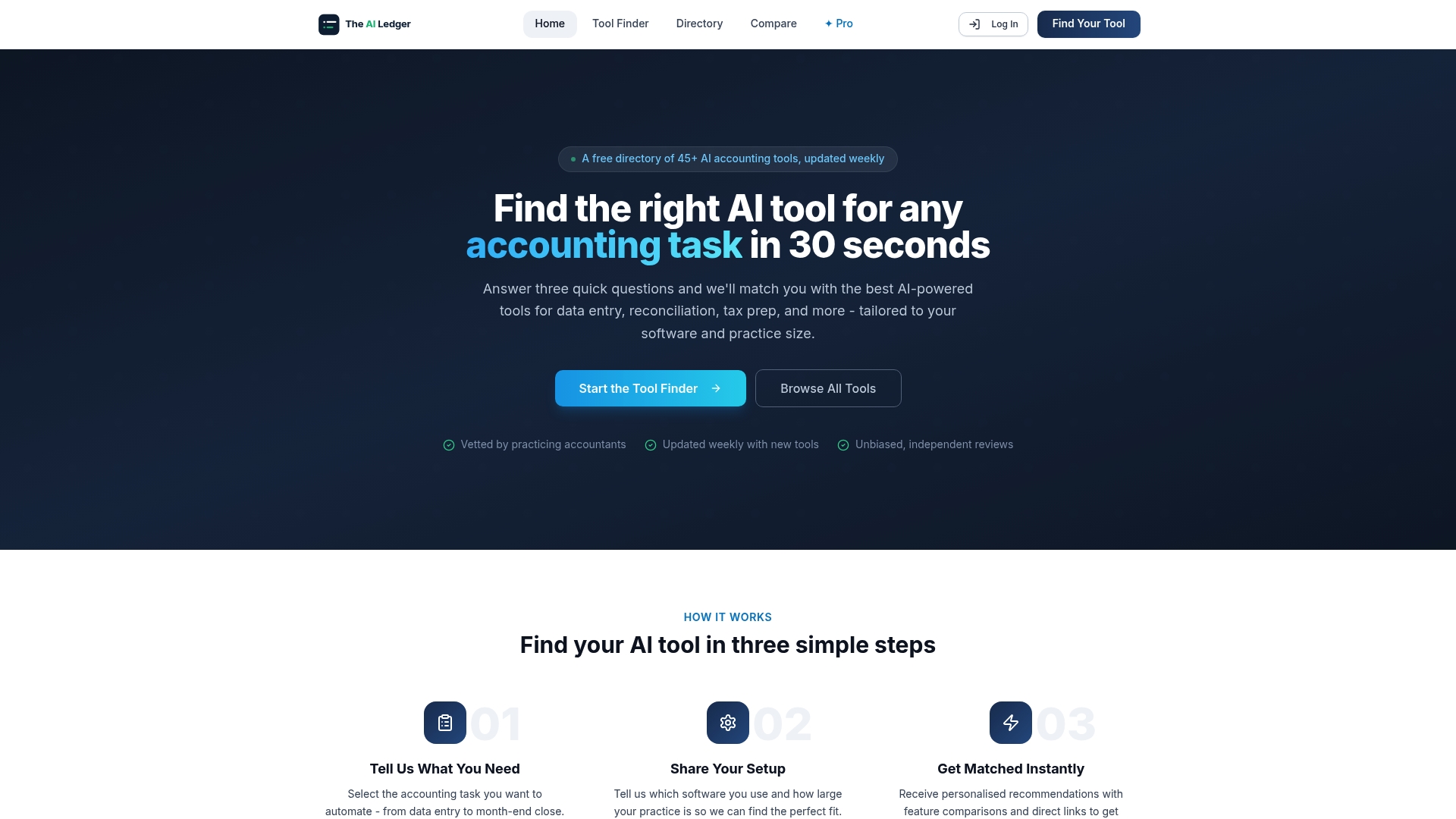
The AI Ledger directory lists 300+ AI and automation tools, each with an editor score, a verdict and a last verified date. Editor scores are never for sale. AP platforms listed include Tipalti, Basware and Medius; check each listing for how it handles supplier onboarding. For US small-business payments, our Forwardly review covers W-9 collection and approval workflows. Use the tool finder to filter by your accounting platform and team size, and compare to check two shortlisted tools side by side. Then run your demos and use the pilot plan in this guide before you commit.
Sources
- Stripe: supplier and vendor onboarding
- Vendor Onboarding Process: A Practical Guide for Procurement Teams | OnboardMap
- Vendor onboarding process for finance teams | ProcureDesk
- Vendor Onboarding | VendorJot
- Check a UK VAT number | GOV.UK
- The UK Sanctions List | GOV.UK
- Confirmation of Payee | Pay.UK
Recommended
- Accounting workflow automation examples for 2026
- Automated accrual accounting: a 2026 guide for finance teams)
- Automated financial reporting: a guide for finance teams)
- Automation tools for multi-entity accounting: 2026 UK guide