Automate accruals and prepayments: the 2026 UK guide
By The AI Ledger editorial team | Published 2026-07-25 | Updated 2026-11-20
The best way to automate accruals and prepayments is to use software that connects directly to Xero or QuickBooks, reads your invoices and contracts, and posts journal entries with a trail back to the source document, so nobody maintains a spreadsheet schedule. Five tools doing this for UK teams are EasyAccrue, Spread, ScaleXP, Gappify and Rima. Each takes a different approach, and the right choice depends on your ledger, your workflow and how much human review you want to keep.
| Tool | Integration | Automation approach | Standards stated | Best for |
|---|---|---|---|---|
| EasyAccrue | Xero | Syncs bills, detects accruals and prepayments, one-click post | Not stated | Quick Xero setup, one-click posting |
| Spread | Xero | Reads invoices and attachments, suggests or posts journals through the month | Not stated | Continuous workflow with a clear audit trail |
| ScaleXP | Xero, QuickBooks Online, Zoho Books | AI-led deferred revenue, accruals and prepayments | Not stated | Teams on more than one ledger |
| Gappify | ERP and accounting systems | AI-proposed accruals with confidence scores and exception review | GAAP, SOX-ready audit trail | Organisations needing defensible audit evidence |
| Rima | Via Slack or email | Managed schedule preparation, Excel output | Not stated | Teams wanting schedules prepared externally |
- * *
Table of Contents
- What does automating accruals actually cover?
- How do these accrual automation tools actually compare?
- How to choose the right accrual and prepayment software
- Which accruals automate cleanly, and which need review?
- How to roll it out
- Why automating accruals beats spreadsheets
- Find the right tool faster
- Key takeaways
- Frequently asked questions
What does automating accruals actually cover?
Automated accrual accounting means software identifies, calculates, posts and reverses accrual and prepayment entries, using data pulled from purchase orders, bills, payroll files and contracts rather than figures keyed in by hand. The accounting principle does not change: income and costs are recognised in the period they are earned or incurred, as FRS 102 requires for most UK businesses. Automation takes over the execution.
A full workflow covers four stages:
- Data collection: figures come from the ledger, procurement and payroll systems.
- Rule-based calculation: predefined logic sets the amount for each accrual or prepayment type.
- Journal creation: entries post with the right account coding, period and supporting document attached.
- Automatic reversal: the reversing entry is scheduled and posted at the start of the next period, or when the real invoice arrives.
| Step | Manual process | Automated process |
|---|---|---|
| Data assembly | From emails and spreadsheets | Pulled from the ledger and upstream systems |
| Calculation logic | Varies by preparer | One rule set, applied the same way each period |
| Reversal posting | Manual, easily forgotten | Scheduled as part of the same workflow |
| Audit trail | Offline, in spreadsheet files | Linked to source transactions |
| Exceptions | Handled ad hoc | Routed to a reviewer with the data already gathered |
Automate the entry and the reversal as a pair. Automating only the posting and leaving reversals manual brings back the error risk of manual reversals, which is where forgotten entries and double counting creep in.
How do these accrual automation tools actually compare?
The five tools share a goal but differ sharply in how they get there. Understanding those differences saves you from a costly switch six months in.
!Woman reviewing accounting reports at desk

EasyAccrue is built for Xero. Its site says sign-up is free, needs no payment details and "usually takes less than 2 minutes", with a free guided setup. You sync your Xero bills, EasyAccrue detects which transactions need accrual or prepayment treatment, and you post to Xero with one click in the journal format Xero expects. For sole practitioners and small practices that want a fast route from spreadsheet to automation, it is the most direct path. (EasyAccrue)
Spread also works inside Xero. It reads invoice attachments to find the service period, spreads the cost across the right months, and can post an accrual for a bill that has not arrived and reverse it when the invoice comes in. It covers deferred revenue as well as accruals and prepayments. Its Xero App Store listing shows a free 7-day trial. (Spread on the Xero App Store)
ScaleXP is the option if you run more than one ledger. It connects with Xero, QuickBooks Online and Zoho Books and says it "uses AI to automate deferred revenue, accruals, prepayments, and consolidations". Its site also lists integration with tracking codes and classes, so cost allocation can follow your departments. Its homepage leads on revenue recognition, so ask for a demo of the accruals side specifically. (ScaleXP)
Gappify is built for organisations where auditability comes first. It proposes accruals with risk-based confidence scores, routes exceptions for human review, and says it substantiates every journal "with GAAP-compliant reasoning and a comprehensive, SOX-ready audit trail". It also claims it can "shave 2-4 days from the close"; treat that as the vendor's own figure. For finance teams under SOX or rigorous external audit, that traceability is the point. (Gappify)
!Infographic comparing accrual automation tools features and best uses
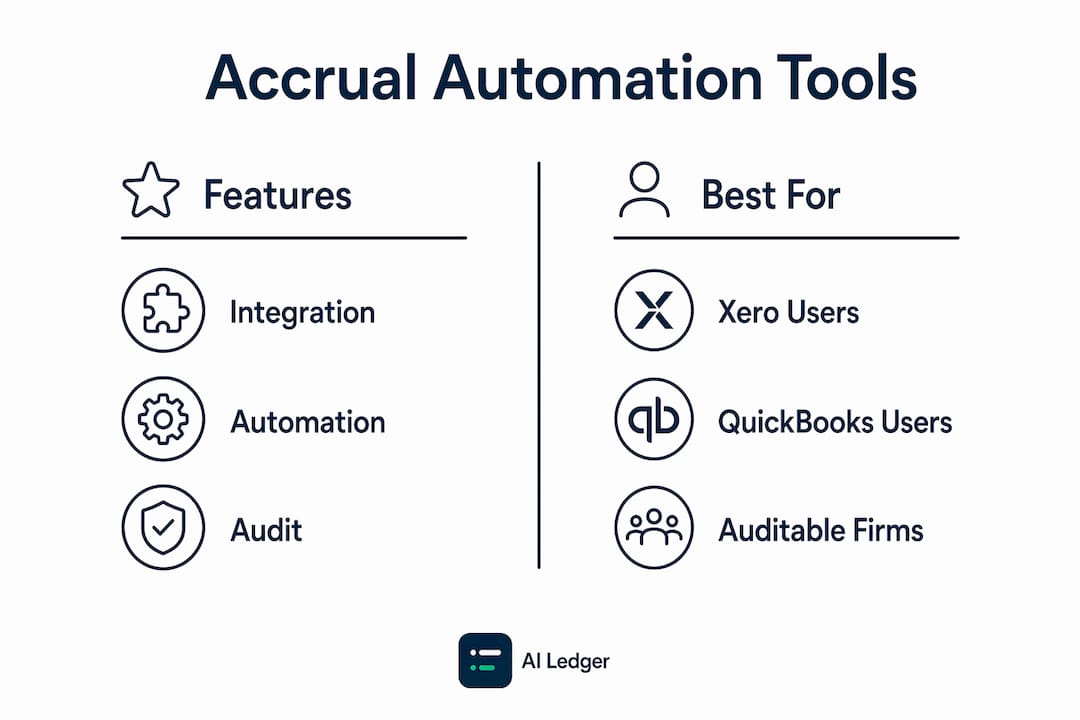
Rima takes a different model. You send invoices, contracts, GL exports and prior-period schedules through Slack or email, and Rima returns Excel workpapers with the calculations, source references and journal amounts. Its accrual page states a 3-hour turnaround, 24/7, though its general workpaper page says 5 hours, so confirm the service level before you rely on it. There is no direct ledger integration; the output lands in Excel for journal entry and sign-off. It suits teams that want schedule preparation handled externally without changing their review process. (Rima)
Pro Tip: _Before committing to any vendor, ask about onboarding support and what happens when a transaction is misclassified. A dedicated setup call, clear documentation and a named contact for the first month make the difference between an implementation that sticks and one that stalls._
- * *
How to choose the right accrual and prepayment software
Start with your accounting platform. EasyAccrue and Spread are Xero-only. ScaleXP covers Xero, QuickBooks Online and Zoho Books. Gappify connects to broader ERP environments. Rima works independently of your ledger. Getting this wrong means rebuilding your workflow from scratch.
Beyond platform fit, the key questions are:
- Accounting standards: Does your firm or client report under FRS 102, IFRS or US GAAP? Gappify states GAAP-compliant reasoning; the others do not name a framework on their homepages. If standards matter to a client, confirm it in writing before you sign up.
- Workflow completeness: Does the tool handle invoice reading, period detection, journal generation, approval, posting and reversal? Partial automation still leaves manual steps that create errors.
- Audit trail quality: Can you trace every journal back to its source document? For practices with audit clients, this is a hard requirement.
- Setup time and training: EasyAccrue and Spread are designed for fast onboarding. Gappify and ScaleXP may need more configuration in complex environments. Factor in staff time, not just vendor promises.
- Trial availability: EasyAccrue's sign-up is free with no payment details, and Spread lists a 7-day trial on the Xero App Store. Use these windows on real client data.
Cost varies by model. Check each vendor's pricing page or Xero App Store listing on the day, as prices change. Gappify and Rima work on a quote or managed-service basis. For a structured way to compare them, see our accounting software evaluation criteria.
On data security, ask every vendor about SOC 2, data residency and what happens to your data if you cancel. Check that any tool you shortlist has a data processing agreement that meets UK GDPR.
!Two people reviewing data compliance checklist

- * *
Which accruals automate cleanly, and which need review?
Different accrual types automate to different degrees, and knowing which is which separates a smooth rollout from a frustrating one.
Accruals that automate cleanly:
- Recurring fixed costs such as rent, insurance and subscriptions, where the amount is known or rule-based.
- Goods received but not invoiced, calculated from purchase order and receipt data.
- Payroll accruals taken from payroll system outputs.
- Prepayment amortisation on a fixed schedule.
Accruals where automation gathers the data but a person decides:
- Judgemental estimates such as warranty provisions or legal claims.
- Project completion accruals where the underlying data is incomplete or disputed.
- Anything above your materiality threshold that needs sign-off before posting.
That boundary is where it should be. Software handles the calculable bulk; the accountant makes the call on estimates.
How to roll it out
- Categorise your accruals first. List every recurring accrual and prepayment type and mark it by suitability. Start with high-volume, rule-based items.
- Agree the rules before you codify them. If two people calculate the same accrual differently, automation will embed the inconsistency rather than fix it.
- Automate the full lifecycle. Entry and reversal together, every time.
- Connect to source systems directly. Pull from the ledger, procurement and payroll rather than via exported spreadsheets.
- Build governance in. Set approval routing, materiality thresholds and who reviews which exceptions before go-live.
- Prepare the team. The job moves from building schedules to reviewing exceptions, and that needs explaining, not just switching on.
- * *
Why automating accruals beats spreadsheets
Spreadsheet schedules are prone to missed adjustments that cause balance sheet differences. One formula error, one tab not updated, one person on leave, and the whole schedule breaks. Automation removes that single point of failure by keeping the ledger as the one source of truth for every prepayment and accrual balance.
The practices that make automation stick:
- Connect directly to your accounting platform rather than exporting data to a separate tool.
- Process accruals through the month rather than in a single month-end batch.
- Use automated reversals so actual invoices clear accruals without manual work.
- Review flagged exceptions rather than every transaction. That is where your judgement adds value.
- Keep supporting documents attached to source transactions from day one, not gathered at year end.
Automation also standardises how accruals are treated across your whole client portfolio: the same rules, applied the same way, with no knowledge that leaves when a team member does.
- * *
Find the right tool faster
Not sure which of these tools fits your practice? The AI Ledger runs a free directory of 300+ AI accounting tools with a side-by-side comparison tool that filters by task, platform and practice size. For the wider close, see our guide to month-end close software.
Every Friday, The AI Ledger newsletter covers the AI tools and automations that matter for accounting practices, in plain English. Browse the directory or sign up for free.
- * *
Key takeaways
| Point | Details |
|---|---|
| Platform fit comes first | EasyAccrue and Spread are Xero-only; ScaleXP covers Xero, QuickBooks Online and Zoho Books. |
| Automate entry and reversal together | Leaving reversals manual brings back the errors automation is meant to remove. |
| Audit trail is non-negotiable | Confirm every journal links back to its source document before signing up. |
| Know what to automate | Recurring and rule-based items automate cleanly; judgemental estimates stay with a reviewer. |
| Agree the rules first | Standardise calculation logic before codifying it, or the software embeds the inconsistency. |
Frequently asked questions
What is automated accrual accounting?
It is software that identifies, calculates, posts and reverses accrual and prepayment entries from source data such as bills, purchase orders, payroll and contracts. The accounting treatment is the same as manual accruals; the execution and the reversal are automated.
Which accrual tools work with Xero?
EasyAccrue and Spread are built for Xero, and ScaleXP connects to Xero as well as QuickBooks Online and Zoho Books. Rima works outside the ledger and returns Excel schedules.
Can every accrual be automated?
No. Recurring, rule-based items such as rent, subscriptions, payroll and prepayment amortisation automate well. Judgemental estimates and anything above your materiality threshold should still be reviewed and signed off by a person.
Why automate the reversal as well as the accrual?
Because a forgotten or duplicated reversal is the most common way an accrual schedule goes wrong. Posting the accrual and its reversal as a pair keeps the balance sheet clean from one period to the next.
Recommended
- Month-end close software UK 2026
- Automated bookkeeping software UK 2026
- Accounting workflow automation examples for 2026
- Paperless accounting practice setup: your 2026 guide)